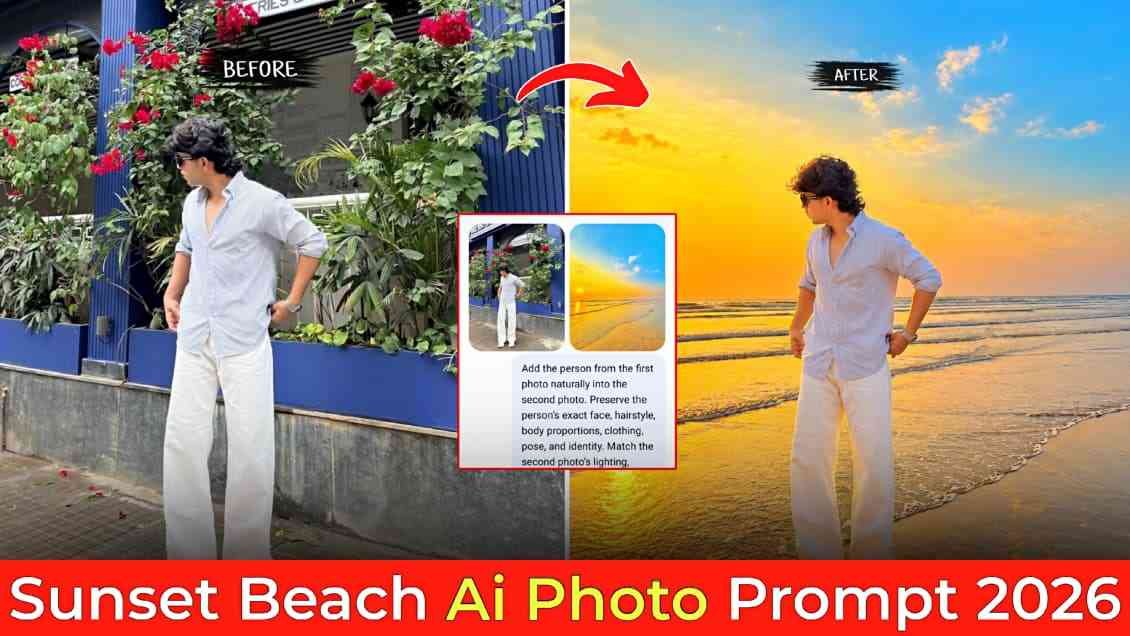
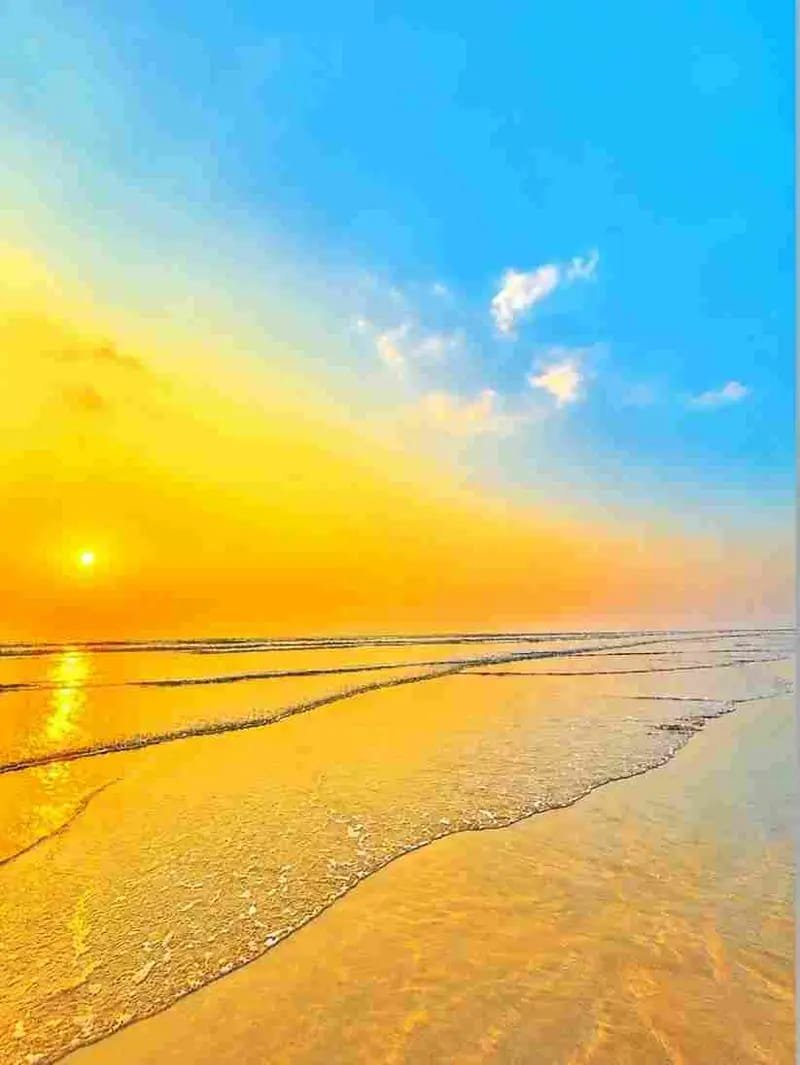
Friends, in this article, I am going to share the best prompt through which you can easily turn your normal photo into a golden-hour sunset beach AI photo that you can post on your Instagram account. Basically, in this article, I have shared the prompt as well as the sunset beach background that you need to download or save to your device for image generation. You can use ChatGPT or Gemini, but I would recommend the ChatGPT app for a better experience and better results. With the free version, you may face some limitations or quality issues, but if you have ChatGPT Plus, you can create lots of high-quality images. So guys, if you are really interested in making such a beautiful sunset beach photo, then you need to check out this full article to get better results.
Details of Sunset Beach AI photo Prompt
Let me tell you about the Sunset Beach Prompt. This prompt is very useful if you want to turn your normal photo into a beautiful sunset beach image. It will take you from your normal photo and naturally add you to the uploaded beach background in ChatGPT or Gemini, making the overall image look as if you actually went to the beach and clicked a photo during sunset.
On ChatGPT, first, you have to upload your photo and the background photo, then paste the given prompt and hit the Create button. Wait for a few moments, and you will get an amazing result. Sometimes, you may not get the best result as you expected. In that case, simply give the command “Create the best version”, and ChatGPT can try to generate an improved version of the image.
Sunset Beach Prompt and Background
Download This Background⬇️

Add this person in the second photo in a realistic manner and adjust them to match the second photo. Do not change anything else. Keep the background exactly as it is, do not alter it at all, and do not change the face or body size. Enhance the image to 8K quality.
What Is ChatGPT and What Are Its Features?
ChatGPT is an AI tool from OpenAI that can help you with many everyday tasks. You can ask it questions, write or improve articles, create captions, get new ideas, translate text, summarize content, and even get help with coding. ChatGPT can also create and edit images using simple prompts, which makes it useful for photo editing and other creative work. You just need to tell ChatGPT what you want, and it will try to give you the result. Because of its simple interface and wide range of features, it has become a useful tool for creators, students, bloggers, and many other users.
How to Create Sunset Beach AI Photo?
Creating a sunset beach AI photo is very simple. You just need to follow the steps given below. First, open the Play Store or App Store and install the ChatGPT app. The app provides a better user experience. After that, log in with your Google account. First, upload the normal photo that you want to turn into a sunset beach look, and then upload the background photo. At the end, paste the prompt and click the Create button. Wait for a while, and your image will be ready. Save it to your device, and you can post it on Instagram.
Conclusion
Friends, in this article, I have guided you on how to make an Instagram-trending sunset beach AI photo using the ChatGPT app in a simple manner. I have also shared some points for getting better results that you need to keep in mind while creating an AI image with the ChatGPT app. If you follow all the steps, you will also be able to create this image without any problems. However, if you still face any issues with image generation after checking out the full article, you can comment below or contact me on my Instagram page. I will try to fix your problem as soon as possible.